
Free Adblocker Browser:Adblock
Screenshots







Free Adblocker Browser:Adblock is an excellent web browser designed to give you a clean internet experience. Intrusive banners and pop-up windows always disrupt your online activities. Therefore, this application blocks those distractions immediately.
Meanwhile, your mobile screen remains perfectly organized. You can read articles or watch media without sudden interruptions. Consequently, your entire browsing session becomes smooth and fast.
In other words, you regain complete control over your screen. Many regular browsers load heavy scripts in the background. But this tool stops those scripts from loading at all.
Above all, the tool values your personal time and screen space. You no longer have to wait for countdown timers on intrusive screens. Instead, you move directly to the actual content you want to see.
In addition, the app operates quietly in the background without complex configurations. You simply open the application and start browsing right away. In short, it offers an immediate solution for clean online navigation.
Why You Need Free Adblocker Browser:Adblock for Clean Browsing
Many websites overload your device with excessive promotional scripts. As a result, your phone hardware consumes more energy. Your data plan also drains much quicker than usual.
To clarify, a single webpage can hold dozens of tracking pixels. These pixels follow your online moves across different shopping websites. However, this application eliminates those scripts before they even launch.
Furthermore, malicious advertisements pose massive security threats. Some malicious files can download onto your smartphone without permission. So, using a dedicated shield is the best option.
Above all, you enjoy true peace of mind while surfing the web. You do not have to look at flashing graphics. In short, this tool transforms the way you view online content.
Many standard tracking networks monitor your personal searching habits. They create detailed profiles without your direct knowledge or consent. Therefore, filtering these elements provides an important layer of data safety.
Moreover, cluttered pages look terrible on small mobile screens. Text boxes shift around while matching advertisements continue to load. Consequently, reading a simple news article becomes a frustrating task.
Key Features of Free Adblocker Browser:Adblock
Free Adblocker Browser:Adblock includes multiple built-in utilities. You do not need to install extra plugins to block annoying elements. Let us examine the core capabilities below.
Advanced Ad Filtering Engine
The core engine filters out multiple variations of commercial content. It handles floating panels, sticky sidebars, and full-screen redirects easily.
- It stops annoying video promotions from playing during your session.
- It eliminates massive banner displays that hide actual written text.
- It blocks hidden text scripts that redirect you to random portals.
- It cleans up the user interface of your favorite blogs completely.
- It automatically closes empty spaces left behind by removed promotional blocks.
- It prevents auto-playing media from consuming your high-speed internet data.
Consequently, you only see the information you actually requested. This gives your mobile screen a neat, highly professional appearance.
In other words, the layout becomes clean and readable. You can navigate complex forums without clicking incorrect links by mistake. Further, the filtering system updates its internal rules regularly to block new formats.
Moreover, it suppresses annoying cookie consent pop-ups that block your view. You do not have to click accept on every single website you visit. Subsequently, your reading path remains direct and completely free from clutter.
Built-In Private VPN
The system includes a virtual private network directly inside the interface. You can activate this feature with a single tap on your screen.
- It encrypts your entire internet traffic through secure web tunnels.
- It conceals your actual geographic location from external monitors.
- It allows you to access regional web pages safely.
- It protects your personal communication data on public wireless networks.
- It masks your primary IP address to prevent cross-site identity matching.
- It stops local service providers from monitoring your downloading activities.
Therefore, your private identity remains completely hidden from nosey third parties. You can travel and surf securely anywhere in the world.
Meanwhile, the encryption runs smoothly without causing system lag. You do not need to purchase expensive external security subscriptions. To clarify, the browser handles everything within its own lightweight architecture.
In addition, it prevents data leaks when you jump between different networks. Your encrypted tunnel remains active during network handovers. As a result, the system guards your browsing sessions continuously against interception.
Total Tracking Protection
Invisible background monitors collect data about your unique interests. They build deep profiles to target you with commercial offers later.
- It blocks third-party cookies from tracking your online habits.
- It prevents analytical scripts from studying your scroll actions.
- It removes tracking parameters from shared web links automatically.
- It stops digital fingerprinting attempts from identifying your hardware type.
- It deletes temporary local tracking files when you close active tabs.
In conclusion, you gain an unbreakable barrier against modern data collection methods. Your private search history stays inside your device forever.
Subsequently, corporate networks cannot monitor what you view online. This utility keeps your digital footprint incredibly clean and safe. In short, privacy becomes the standard setting for your daily web browsing.
Above all, you reduce the chances of encountering targeted telemetry systems. Telemetry scripts run silently on thousands of global online pages. But this specific browser identifies and kills them immediately upon discovery.
Background Media Playback
Standard browsers stop playing media if you switch active screens. But this application offers a specialized background execution system.
- You can listen to your favorite podcasts while checking text messages.
- The audio track keeps running even when you lock your smartphone.
- It saves battery power since your screen does not stay bright.
- You can manage playback options directly from your notification panel.
- It handles heavy playlists smoothly without requiring secondary media apps.
Subsequently, your multitasking abilities improve significantly. You get a desktop-like experience on your mobile device.
Moreover, you can minimize video tabs without losing the audio stream. This is perfect for listening to long interviews during your daily commute. As a result, you save time and maximize your daily productivity.
Further, the tool caches streaming audio efficiently to prevent sudden playback stuttering. You enjoy non-stop acoustic enjoyment while using other operational utilities. In short, it changes how you consume web media on the move.
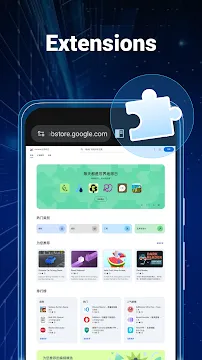
Chrome Extension Support
Free Adblocker Browser:Adblock lets you expand its utility via desktop plugins. You can access a massive library of extension tools easily.
- You can add custom translation tools to translate foreign news sites.
- It supports password managers to autofill your login forms securely.
- You can change visual themes to protect your eyes at night.
- It runs advanced scripting tools for customized page styles.
- It integrates dictionary tools for fast definitions during extensive reading.
In other words, you customize your interface exactly how you want. This flexibility makes it highly adaptable to your specific habits.
Furthermore, installing these add-ons takes only a few simple taps. You can manage them inside a neat dedicated system panel. Consequently, you retain full authority over your browser capabilities.
Likewise, you can turn individual extensions off if you want to optimize speed. This selective management keeps your application lightweight and incredibly powerful. To sum up, it bridges the gap between mobile and desktop browsing structures.
Performance Benefits of Free Adblocker Browser:Adblock
Blocking heavy commercial scripts accelerates your general connection speeds. Webpages load almost instantly, even on weak mobile networks. Moreover, you save a significant amount of monthly data.
For example, ads can make up half of a webpage size. By stopping them, you reduce your overall bandwidth consumption. As a result, your monthly phone bill stays lower.
In addition, your smartphone battery lasts much longer. Your processor does not have to render flashing animations constantly. Consequently, your device remains cool during extended reading periods.
Likewise, the browser consumes very little system memory. It operates smoothly on older mobile devices without crashing. Therefore, it represents a highly efficient upgrade for all users.
To clarify, modern web scripts require extensive processor computational cycles. When you remove these scripts, your hardware works much less. In other words, your device stays snappy and highly responsive.
Furthermore, lower data usage benefits users with limited internet connectivity plans. You can load crucial pages without exhausting your high-speed internet balance. In conclusion, efficiency remains a core strength of this browsing platform.
Meanwhile, the App prevents background tab refreshing from using resources. Inactive tabs go to sleep automatically to save power. Then, they wake up instantly when you select them once more.
How to Download and Install Free Adblocker Browser:Adblock
You can get the setup file safely from our platform. We provide the latest verified modification for maximum stability. Follow the exact sequential guidelines outlined below to start.
- Download the APK File:
- Click the direct download button on our website. Save the secure package onto your local storage.
- Enable Unknown Sources:
- Open your smartphone settings panel. Navigate to the privacy section. Authorize installations from unknown browser sources.
- Execute the Installer:
- Open your file manager application. Find the downloaded package in your folder. Tap the file to launch installation.
- Grant System Permissions:
- Open the application from your menu screen. Accept the storage and network access requests to finalize configuration.
After that, you can set it as your main default browser. This ensures every web link opens inside the secure shield environment automatically.
In addition, you can import your old bookmarks during initial launch. This makes the transition from your previous browser quick and simple. Then, you can delete your old sluggish browsing applications completely.
Free Adblocker Browser:Adblock Tips and Tricks
To maximize your experience, you should implement a few basic adjustments. These methods optimize your daily workflow and security layers.
- Create a Custom Allowlist: Some independent blogs need ad revenue to survive. You can add them to your safe list with one tap.
- Toggle the Private VPN: Turn on the encryption tool only when accessing public coffee shop networks. This preserves high speeds at home.
- Activate Dark Mode: Switch the global interface to dark themes during late night reading sessions. This minimizes eye strain effectively.
- Use Reader Mode: This feature strips away secondary sidebars completely. It formats text perfectly for long reading sessions.
- Clear Cache Periodically: Go to privacy settings every month. Delete temporary files to maintain rapid response times.
- Customize Your Speed Dials: Place your most visited websites directly onto the new tab page. This saves typing time later.
- Enable Smart Download Acceleration: Turn on parallel downloading in settings. This splits big files into smaller pieces for faster downloads.
Secondly, explore the extension library to add helpful productivity tools. Managing your options correctly ensures an excellent, highly customized experience.
Moreover, check your blocked items counter on the main toolbar. It displays exactly how many tracking networks the Free Adblocker Browser:Adblock stopped. In short, this metric shows the application working actively for you.
Conclusion
To sum up, Free Adblocker Browser:Adblock offers a premium alternative to standard mobile web browsers. It successfully solves the issue of heavy, intrusive internet ads. Moreover, it protects your valuable privacy with advanced tracking blocks.
By adding a built-in VPN, the tool keeps your connection anonymous. It reduces data usage and extends your device battery life significantly. In conclusion, you should download this package from our platform today.
Then, you can enjoy a genuinely clean and secure web journey. Say goodbye to irritating pop-up panels and hidden tracking scripts forever. In short, this tool represents the perfect upgrade for internet enthusiasts.
- Parallel Space Lite
- Browsec
- Xiaomi System Apps Updater
- Family Link parental controls
- Google Fi Wireless
- v2RayTun
- aaShell
-
ExpressVPN
 Download
ExpressVPN: VPN Fast & Secure
ExpressVPN secures your mobile internet connection against...